Akira ESXi Recovery:
Datastore Salvage Protocol
A highly technical, strictly procedural guide to defeating Akira’s hypervisor payloads. Master .vmdk intermittent encryption diagnosis, bypass shattered partition tables, brute-force ChaCha8 seeds, and natively carve raw databases from corrupted VMFS arrays.
Initiate Active Breach ProtocolIf you are reading this because your VMware ESXi hosts have suddenly gone offline, your virtual machines (VMs) are showing as “Invalid” or “Orphaned” in vCenter, and you see files appended with .akira or .akiranew within your datastore browser: stop all standard IT troubleshooting operations immediately.
You are experiencing an active hypervisor-level breach. Standard server remediation tactics—like rebooting arrays, attempting snapshot consolidation, or running unverified decryption tools—will irreversibly destroy highly recoverable database fragments. For immediate, specialized assistance, return to our homepage for emergency intake, or view the Master Akira Ransomware Recovery Guide for full-scope enterprise remediation.
1. The Emergency Triage Protocol (Stop the Bleeding)
During the first hour of a hypervisor encryption event, your primary objective is evidence preservation. The Akira syndicate utilizes a highly optimized C++ Linux payload specifically crafted to evade Windows-centric defenses by striking the bare-metal architecture beneath them.
THE GOLDEN RULE: Do Not Power Cycle the ESXi Host
Under no circumstances should you reboot the affected ESXi host. Doing so flushes the host’s volatile memory (RAM). The active ChaCha8 symmetric encryption keys, the unencrypted Linux ELF payload, and crucial nanosecond timestamp data (critical for GPU brute-forcing later) may still reside in memory. A reboot permanently destroys this cryptographic evidence and severs your best chance at a rapid, keyless salvage operation.
Implement the following containment procedures specifically designed for virtualization engineers:
- Logical Network Isolation (Fencing the LUN): Do not initiate a software shutdown via the Direct Console User Interface (DCUI) or vCenter. Instead, physically disconnect the uplink cables or log into your core switches and administratively disable the ports connecting the ESXi host to the network. This halts active data exfiltration and lateral spread while keeping the kernel running and RAM intact.
- Halt All vCenter Migrations & Storage Operations: Instantly disable VMware DRS (Distributed Resource Scheduler) cluster-wide. Do not attempt to initiate a Storage vMotion, consolidate snapshots, or migrate datastores to a “safe” LUN. Akira relies on intermittent encryption. Massive portions of your VMFS blocks remain untouched. Executing storage operations will overwrite these unallocated, unencrypted blocks, destroying the raw database fragments we need to recover natively.
- Preserve Critical Telemetry (Log Bundles): If the host remains responsive via SSH or the local shell, immediately export the diagnostic log bundle (
vm-support). If a full bundle fails, manually copy/var/log/syslog,/var/log/auth.log, and/var/log/shell.logto an offline jump box. We need the exact nanosecond timestamp of the encryption event to exploit Akira’s cryptographic seed generation vulnerabilities.
2. Anatomy of the Akira ESXi Attack
To defeat the encryptor, you must understand its execution logic. Threat actors bypass Windows-centric Endpoint Detection and Response (EDR) platforms like CrowdStrike or SentinelOne by ignoring the guest OS entirely. They attack the bare-metal infrastructure.
The Linux/ESXi C++ Payload
The attackers utilize compromised credentials—often stolen via unpatched edge firewall vulnerabilities (e.g., SonicWall CVE-2024-40766) or purchased from Initial Access Brokers (IABs) on the dark web—to enable SSH or ESXi Shell on the host. Once authenticated, they drop a highly specific, lightweight Linux ELF binary compiled specifically to execute natively on the VMware ESXi kernel.
The esxcli Kill Sequence & Telemetry
Before the malware can encrypt a multi-terabyte virtual disk, it must release the hypervisor’s strict file locks. A standard Linux rm or basic script will fail against a running .vmdk. Akira’s payload programmatically leverages native VMware command-line tools to violently terminate running processes.
If you parse your host’s /var/log/syslog or shell.log, you will typically see a rapid execution loop resembling this representative example:
esxcli[PID]: User root executing command: esxcli vm process list
esxcli[PID]: User root executing command: esxcli vm process kill --type=force --world-id=[WORLD_ID]
esxcli[PID]: User root executing command: esxcli vm process kill --type=force --world-id=[WORLD_ID]
vmkernel: cpuN:[WORLD_ID])WARNING: World: 110: Killing world [WORLD_ID] (vmm0:[VM_NAME])
hostd[PID]: Event : Virtual machine [VM_NAME] on [HOST].local is powered off
Illustrative log pattern — exact process IDs, world IDs, and timestamps will vary by environment and Akira variant.
By using --type=force, the malware bypasses the guest OS’s shutdown protocols entirely—equivalent to ripping the power cord out of a physical server. The file locks drop immediately, and the ChaCha8 encryption phase begins milliseconds later.
The Target Matrix
Akira specifically hunts and encrypts the core files that constitute a virtual machine within the VMFS datastore:
| File Extension | Function | Impact on Recovery |
|---|---|---|
.vmdk (Descriptor) |
Plaintext map of disk geometry (CHS). | Fully encrypted/destroyed. Must be manually rebuilt using vmkfstools. |
-flat.vmdk |
The massive binary containing your actual data. | Intermittently encrypted. High probability of raw database survival. |
.vmem & .vswp |
Virtual memory and swap space. | Encrypted, resulting in loss of active guest OS RAM state. |
.nvram |
BIOS/UEFI configuration. | Encrypted. Non-critical; can be regenerated by creating a new VM shell. |
3. Diagnosing Intermittent .vmdk Encryption
When you log into vCenter after an Akira attack, your virtual machines will likely appear as “Invalid” or “Orphaned.” This induces panic, as it visually implies total data loss. Cryptographically, this is an illusion caused by the destruction of the 1KB .vmdk descriptor file.
The Chunking Paradigm (Speed over Thoroughness)
If Akira attempted to encrypt a 10TB -flat.vmdk database server sequentially from beginning to end, the cryptographic math would take days to process. This would give your Security Operations Center (SOC) ample time to detect the I/O anomaly and isolate the threat. To maximize operational velocity, Akira utilizes intermittent block encryption (chunking).
Below is a direct comparison of raw hex editor analysis demonstrating the contrast between an encrypted Akira disk layout and its successfully recovered plaintext structure:
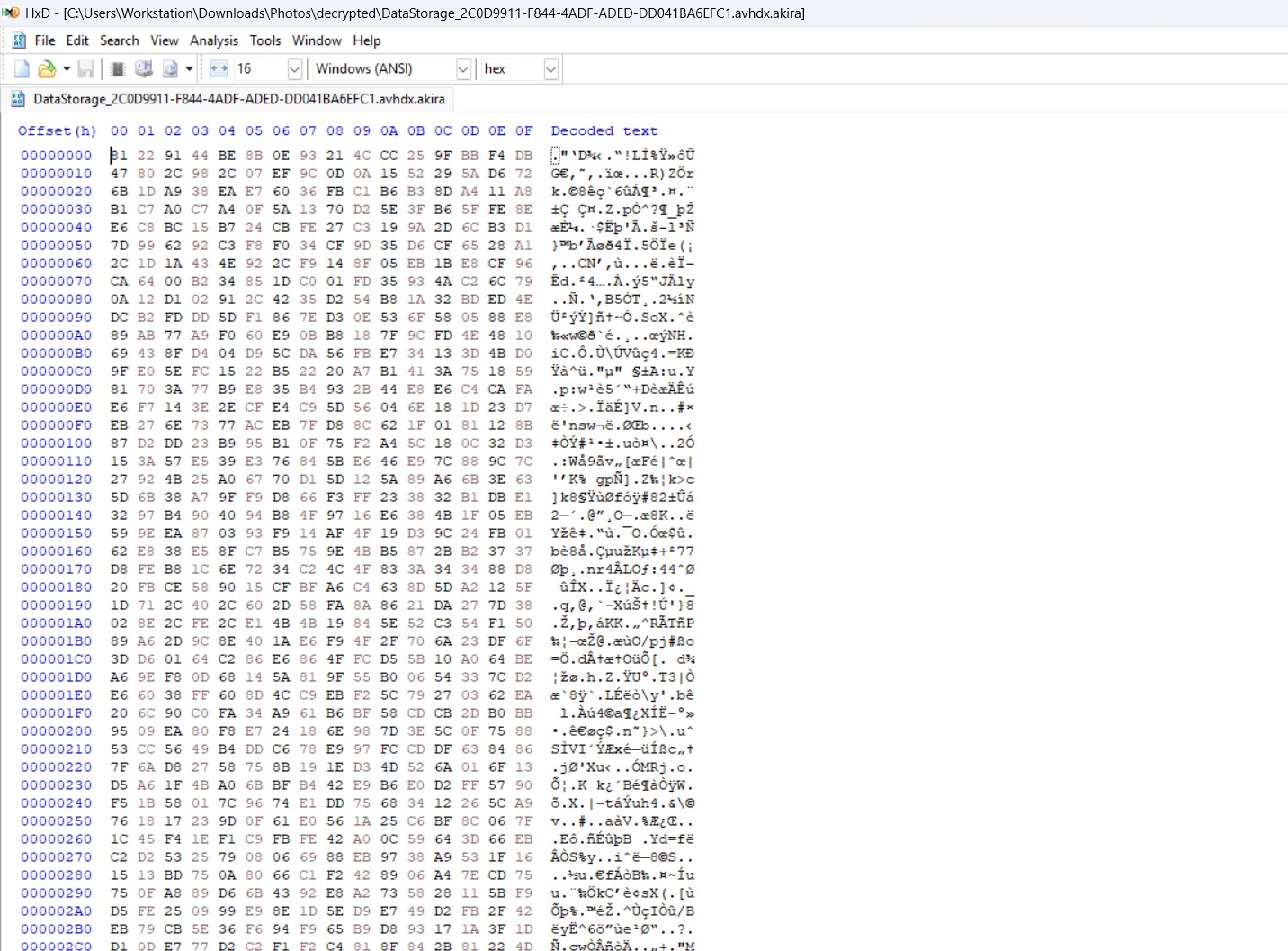
Figure 1.1: Raw hex view of an Akira-encrypted partition sector showing randomized entropy and destroyed headers.
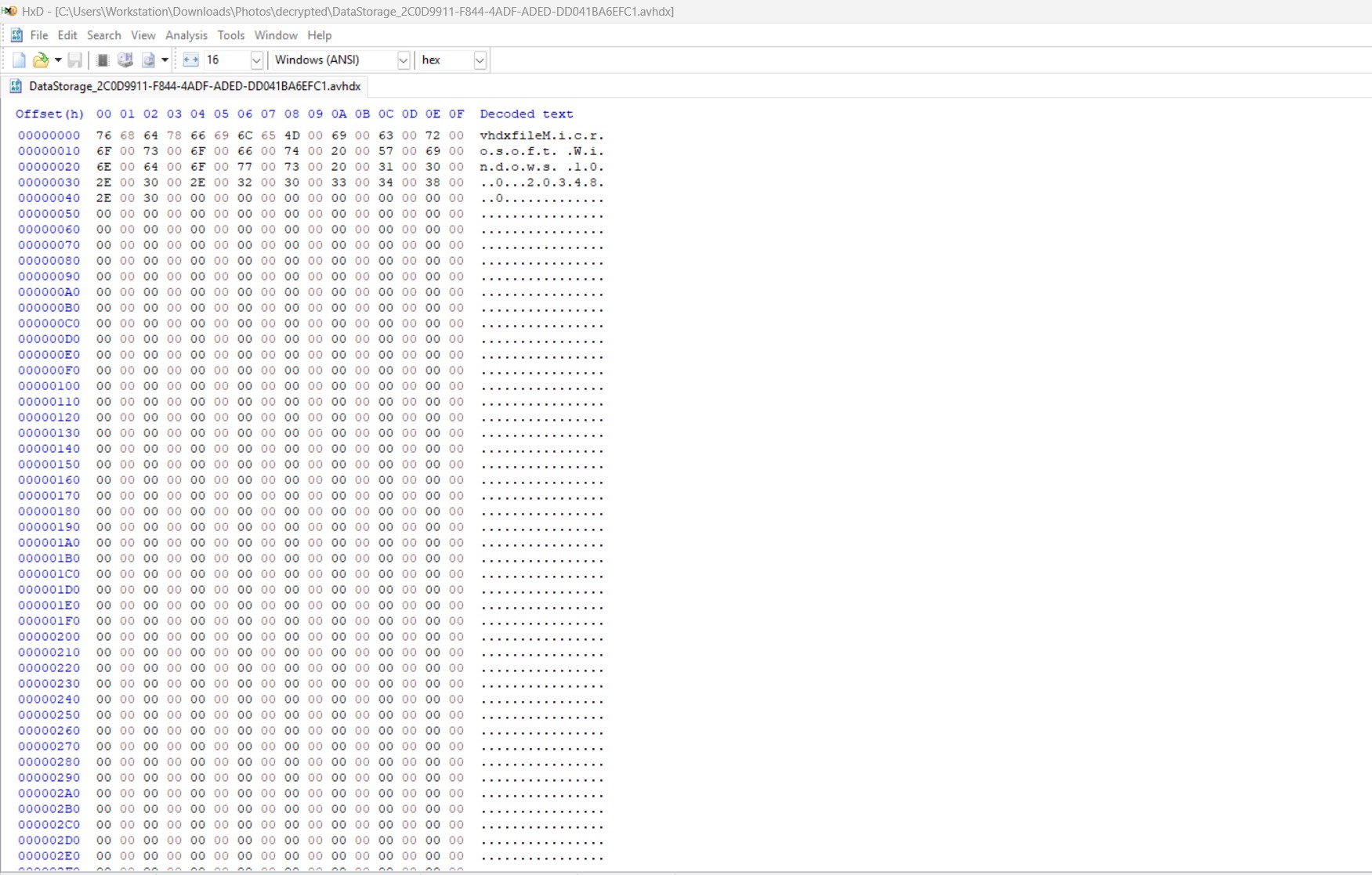
Figure 1.2: Post-carving hex view revealing the recovered partition magic numbers and unallocated plaintext blocks.
The malware’s logic is devastatingly efficient: it may encrypt a 2MB chunk, skip 50MB of data entirely, encrypt another 2MB, and so on. In cases handled by our team, some observed Akira variants use intermittent encryption, leaving substantial portions of large virtual disk files unencrypted.
However, because they specifically target the very beginning of the file—destroying Sector 0, the Master Boot Record (MBR), and the GUID Partition Table (GPT)—the virtual machine loses its logical structure. It is mathematically shattered and entirely unbootable, but the vast majority of your underlying data survives untouched in the unallocated space.
4. The Forensic .vmdk Salvage Protocol (Step-by-Step)
Because the underlying data remains largely intact despite the shattered mapping structure, our objective shifts from traditional “decryption” to “forensic salvage.” We bypass the need for a threat actor’s RSA key by natively carving the surviving databases directly out of the corrupted VMFS arrays.
Phase 4.1: Write-Blocking & Datastore Cloning
Crucial Warning: Never perform recovery or carving operations directly on the compromised production LUN or SAN array. Any mistake during hex editing will irrevocably corrupt the remaining unallocated data blocks.
You must present the corrupted datastore as a read-only volume to a secondary, sterile forensic workstation (typically a specialized Linux live environment like SIFT Workstation or Kali Linux). Use forensic imaging tools (such as dd, dc3dd, or FTK Imager) to create a bit-for-bit raw image clone of the corrupted -flat.vmdk files. All subsequent steps are performed exclusively on this cloned evidence file.
Phase 4.2: Rebuilding the VMDK Descriptor File
Since Akira encrypted the 1KB plaintext descriptor file, VMware cannot recognize the binary -flat.vmdk as a virtual disk. We must manually recreate this pointer file by calculating the exact geometry (Cylinder/Head/Sector) of the surviving binary file.
Below is a visual forensic reference contrasting an encrypted VMFS/VMGS file structure against its successfully restored mapping profile:
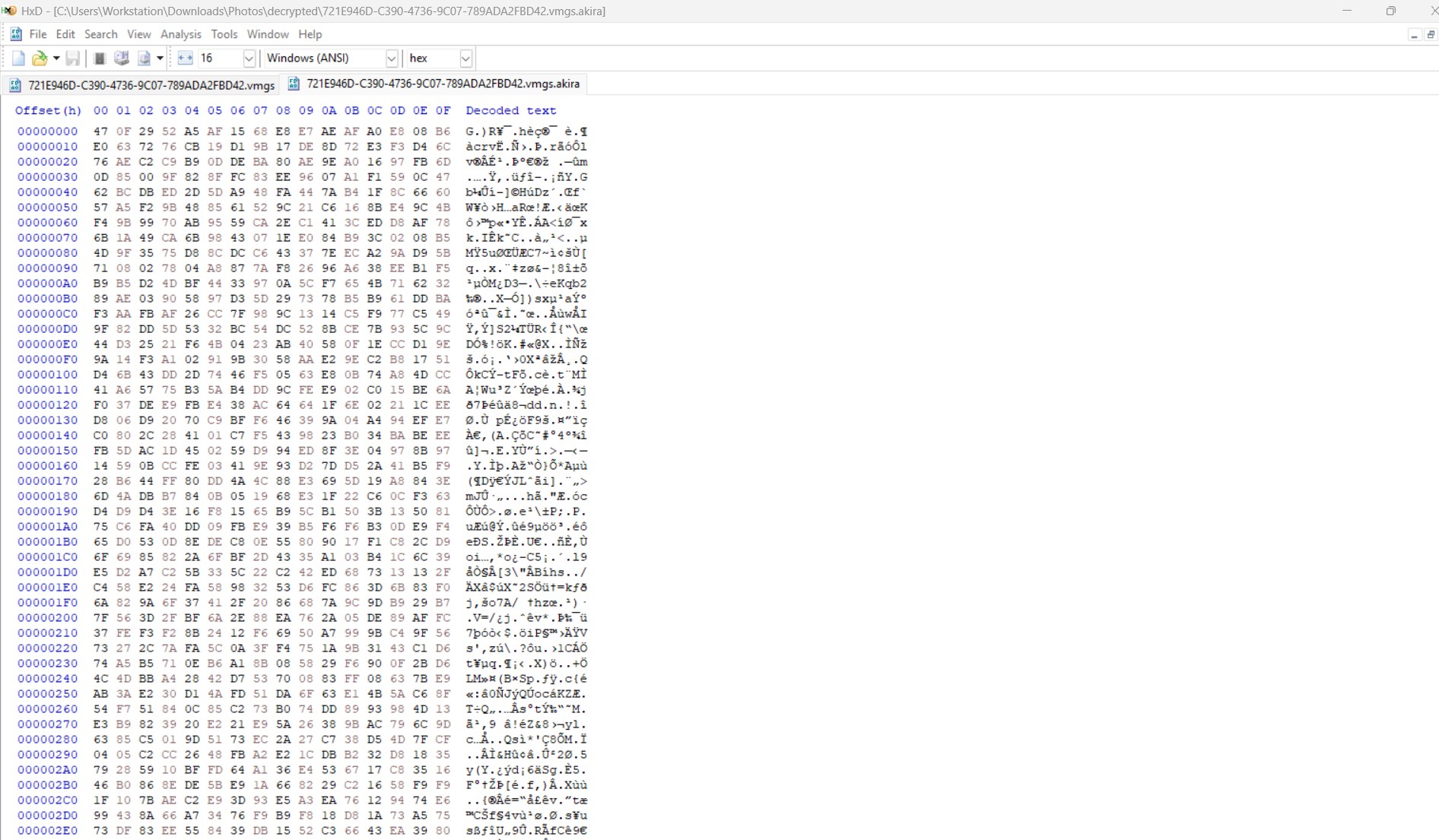
Figure 2.1: Hex view of an encrypted VMFS/VMGS component showing corrupted block allocations.
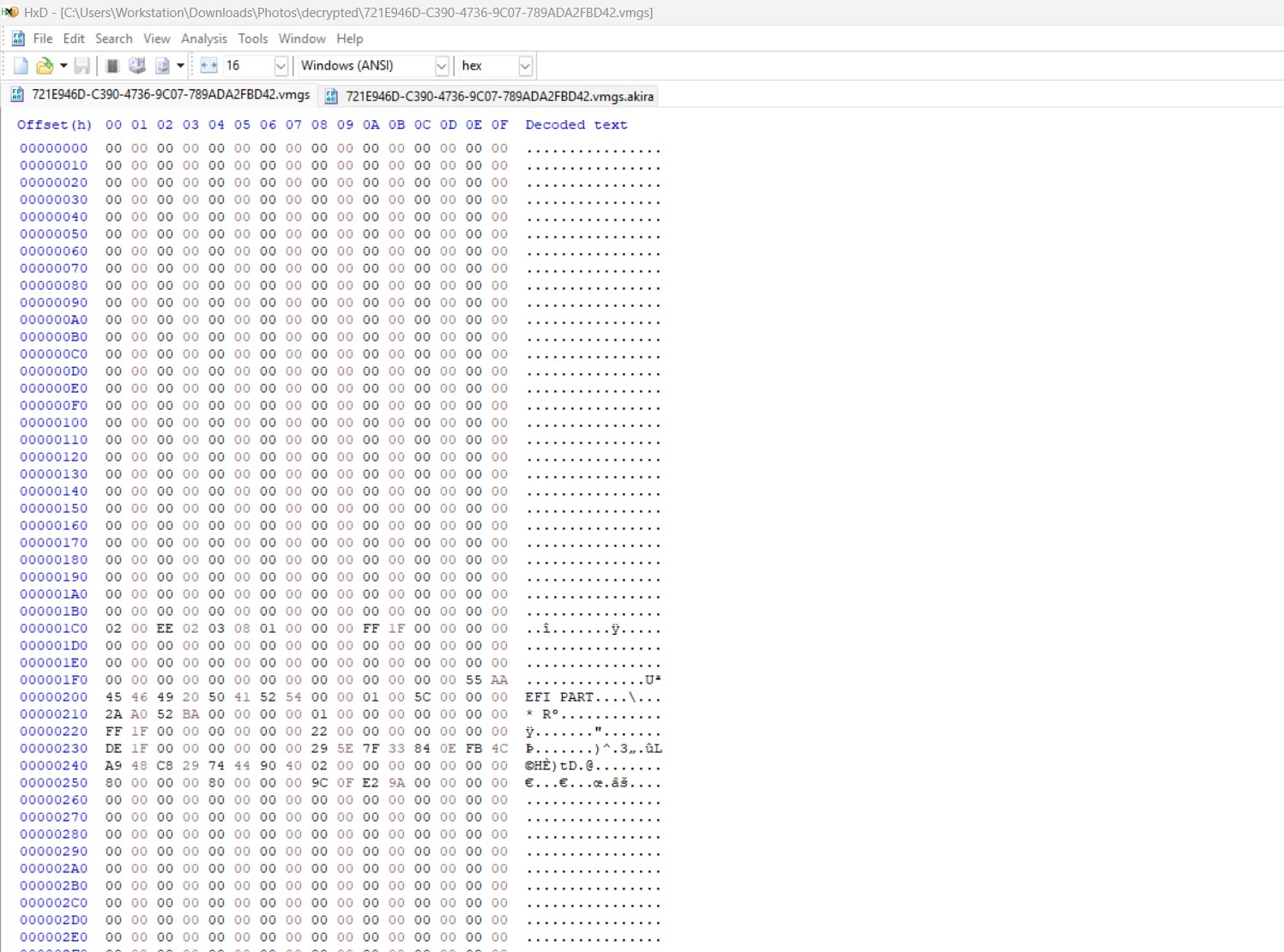
Figure 2.2: Rebuilt block mapping following manual descriptor regeneration and structural validation.
If you know the exact provisioned size of the disk (e.g., exactly 500GB), you can use VMware’s native vmkfstools on a clean ESXi host to generate a dummy template mapping:
vmkfstools -c 536870912000 -a lsilogic -d thin dummy.vmdkThis command generates a new, unencrypted descriptor (dummy.vmdk). Open this file via vi or nano, and manually edit the RW (Read/Write) parameter to point to the filename of your cloned, corrupted -flat.vmdk instead of the newly created dummy-flat.vmdk. This restores the hypervisor’s fundamental mapping ability.
Phase 4.3: Bypassing Corrupted MBR/GPT Tables
Even with a successfully rebuilt descriptor, the VM will likely fail to boot, presenting an “Operating System not found” or “No Bootable Device” error. This occurs because Akira’s encryption destroyed Sector 0 (the MBR) and the GPT partition headers. The hypervisor literally does not know where the C:\ or D:\ drives begin.
Our forensic engineers utilize advanced hexadecimal editors (like WinHex or X-Ways) to scan the raw binary of the -flat.vmdk. Because Akira destroys the initial sectors, we must scan forward into the disk until we hit the Volume Boot Record (VBR) of the guest operating system. For Windows NTFS, we scan for the following exact hexadecimal sequence:
Offset(h) 00 01 02 03 04 05 06 07 08 09 0A 0B 0C 0D 0E 0F  Decoded Text
00100000  EB 52 90 4E 54 46 53 20 20 20 20 00 02 08 00 00  ëR.NTFS    .....
00100010  00 00 00 00 00 00 00 00 00 00 00 00 00 00 00 00  ................
00100020  00 00 00 00 80 00 80 00 29 27 05 00 00 00 00 00  ........)'......
The presence of EB 52 90 4E 54 46 53 (which decodes to .R.NTFS in ASCII) confirms we have successfully bypassed the encrypted chunked layers and located the precise byte offset where the uncorrupted primary drive begins.
Phase 4.4: Raw Database Carving (Native Extraction)
Attempting to force a highly unstable, intermittently encrypted VM to perform a standard Windows boot sequence is incredibly risky. During boot, the OS may attempt to run chkdsk automatically, which will annihilate surviving data blocks by attempting to “fix” orphaned index pointers.
Instead, we perform native database carving. Using the byte offsets discovered in Phase 4.3, we virtually mount the NTFS partition directly within our forensic Linux environment using tools like guestmount or Arsenal Image Mounter. We bypass the guest operating system entirely, navigating directly to the storage paths (e.g., D:\SQLData\).
From here, we extract the highly valuable, untouched organizational assets—specifically Microsoft SQL Server Database files (.mdf, .ldf), Exchange Stores (.edb), and ERP data—copying them directly into a clean, sterile environment for functional reintegration.
5. The Reality of ESXi Decryptors: GPU Brute-Forcing
A persistent and dangerous misconception among IT directors is that acquiring a decryption key is a magic bullet, or conversely, that decryption without paying the ransom is mathematically impossible. In hypervisor environments, the truth lies in intense computational cryptanalysis — and that cryptanalysis only applies in specific, identifiable circumstances.
The Avast 2023 Myth (Windows vs. ESXi)
In June 2023, Avast released a public decryptor based on a PRNG flaw. This was exclusively for the Windows variants and was patched shortly after release. Relying on outdated threat intelligence regarding the Avast tool for an ESXi breach is a dead end.
The Timestamp Vulnerability (Nugroho’s Method)
While the core cryptography (ChaCha8 / KCipher2) remains sound in principle, security researcher Yohanes Nugroho documented a flaw in how certain Linux/ESXi variants of Akira generate their keys, seeding symmetric encryption keys from local system timestamps down to the nanosecond format. Because the seed pool is finite and strictly bound by time, the encryption key can in some cases be computationally brute-forced without paying the threat actor.
This is not a point-and-click software solution — Nugroho’s own documented case took roughly three weeks of dedicated reverse engineering against one specific sample, using sixteen cloud GPUs running in parallel. It is a heavy-compute, bespoke data recovery operation, not a guaranteed or repeatable fix.
Requirements for Successful Brute-Force Recovery
- Precise Telemetry (The Time Window): You must extract the approximate start and end times of the encryption process to narrow down the brute-force range. This is why preserving the ESXi
shell.logand/var/log/syslog(as outlined in Phase 1) is absolutely critical. - Massive GPU Compute: Standard enterprise servers or single consumer GPUs are entirely insufficient and too slow for this operation. Processing the billions of nanosecond combinations requires clustering high-powered GPUs via cloud compute instances to cycle through guesses at maximum velocity.
- Known Plaintext/Ciphertext Pairs: The brute-force algorithm requires a known, untouched file and its encrypted counterpart to mathematically verify when the correct seed has been generated.
- A Vulnerable Variant: This method depends on the specific Akira sample your organization was hit with still using predictable, timestamp-seeded key generation. Threat actors patch known weaknesses — the same way Akira’s operators patched around the 2023 Avast flaw — so viability is assessed case-by-case, not assumed.
The Danger of Generic Execution: Even with the correct seed discovered via GPU clustering, the decryptor must perfectly calculate the exact byte offsets of the intermittent chunks. If a compiled decryptor miscalculates the chunking offset by even a single byte, it will attempt to “decrypt” surviving plaintext. This mathematically scrambles your remaining healthy data into irreversible garbage. This is why forensic data carving (Phase 4) is frequently executed in parallel with GPU brute-forcing to guarantee baseline data survival regardless of whether cryptanalysis succeeds.
6. Our Akira ESXi Recovery Engagement Model
Understanding the theoretical salvage of a -flat.vmdk is fundamentally different from executing it under the pressure of a total enterprise outage. As a specialized incident response firm, we do not experiment on your production arrays. We execute a synchronized, multi-disciplinary salvage operation designed to minimize downtime and eliminate the risk of generic decryptor corruption.
Why We Outpace Traditional IT Firms
Standard IT vendors approach ransomware linearly: they wait days for a decryption key, run it, and hope the data isn’t scrambled. We operate in parallel. While our reverse engineers assess whether the sample’s key generation is vulnerable to brute-forcing, our data recovery team is already carving the raw databases from the VMFS volume. This dual-track approach compresses the recovery timeline regardless of which track ultimately delivers the win.
Phase 1: Telemetry Acquisition & Air-Gapped Cloning
Upon initiating the Active Breach Protocol, our incident commanders immediately interface with your virtualization team. We establish a secure, out-of-band communication channel. Our first objective is to secure the ESXi shell.log to isolate the exact nanosecond timestamp of the payload execution. Simultaneously, we guide your storage engineers in presenting the corrupted datastore as a read-only LUN, ensuring a pristine, write-blocked clone is mounted in our sterile forensic laboratory.
Phase 2: The Dual-Track Salvage Operation
Once the evidence is secured, we launch two distinct recovery tracks simultaneously:
- Track A (Cryptanalysis): Our reverse engineering unit assesses whether the recovered telemetry indicates a timestamp-seeded key generation weakness. Where it does, we spin up cloud-based GPU clusters and apply Yohanes Nugroho’s documented brute-force approach to attempt key recovery without the threat actor’s cooperation. Where the sample’s key generation has been hardened, we say so and lean fully on Track B.
- Track B (Hexadecimal Carving): Without waiting on Track A’s outcome, our data recovery specialists mount the cloned
-flat.vmdkfiles. We manually bypass the shattered MBR/GPT headers using hex editors (searching for theEB 52 90 4E 54 46 53signature) and begin natively extracting your mission-critical SQL (.mdf) and Exchange (.edb) databases directly from the unallocated VMFS space.
Phase 3: Zero-Trust Database Validation
We do not hand back raw, unverified files. Ransomware chunking can cause micro-corruptions. Before any data is returned to your production environment, we mount the carved databases in a sterile sandbox. We execute exhaustive integrity checks (such as DBCC CHECKDB for SQL environments) to repair orphaned index pointers and ensure the database is fully transactional and ready for business continuity.
Stop Guessing. Start Recovering.
Every hour your ESXi datastore remains offline costs your enterprise compounding revenue. Do not risk your remaining plaintext data with unverified decryption tools.
Speak with an ESXi Recovery Specialist Now7. Post-Recovery ESXi Hardening (Day 2)
Recovering the data is only half the battle. If the architectural vulnerabilities that permitted the hypervisor breach remain, Akira (or a secondary Initial Access Broker) will simply return and re-encrypt the infrastructure. Before any recovered databases are placed back into production, the ESXi environment must undergo rigorous zero-trust hardening.
- Enforce Strict Lockdown Mode: Via vCenter, place all ESXi hosts into Normal or Strict Lockdown Mode. This forces all operations to route through the vCenter Server and entirely disables direct, unmonitored DCUI or SSH access to the bare-metal hosts.
- Disable the Service Location Protocol (SLP): SLP (port 427) has historically been a massive vulnerability vector (e.g., CVE-2021-21974) abused by ransomware like ESXiArgs and Akira. Unless specifically required by legacy storage arrays, disable the
slpdservice across all hosts immediately. - Management Plane Air-Gapping: The ESXi Management Network (vmk0) and the vCenter appliance must not reside on the same VLAN as end-user workstations, production servers, or general jump servers. Segment the management plane onto a dedicated, hardware-firewalled VLAN accessible only via hardware-enforced MFA (such as YubiKey) VPN connections.
- Implement LUN-Level Immutable Snapshots: Migrate away from relying solely on standard VM-level backups. Integrate modern SAN infrastructure (Nimble, PureStorage) that supports deep, hardware-level immutable snapshotting at the LUN level, ensuring backups cannot be logically deleted by compromised domain credentials.
8. Akira ESXi Technical FAQ
What does “esxcli vm process kill –type=force” actually do?
It is the most aggressive method to terminate a VM. Unlike soft or hard kills, force ignores the guest OS entirely and drops the hypervisor’s active memory mappings. Attackers use it to instantly release the VMFS file locks on the .vmdk, which is a mandatory prerequisite before their encryptor can modify the file.
If the descriptor file is gone, how do I know the provisioned disk size?
If you don’t have a backup of the descriptor or configuration documentation, you can determine the exact size by examining the size of the -flat.vmdk file in bytes via the ESXi command line. Divide that byte count by 512 to find the exact sector count, which you can use to manually code the RW [Sector_Count] VMFS line in a custom descriptor file.
Why does vCenter say my VMs are “Orphaned”?
When Akira encrypts the datastore, it destroys the .vmx configuration file and the .vmdk descriptor. vCenter relies on these text files to map the VM to the GUI interface. Without them, vCenter loses track of the VM, labeling it “Invalid” or “Orphaned.” The raw data (the -flat.vmdk) is still sitting on the datastore.
Can I run Windows chkdsk on an intermittently encrypted VMDK?
Absolutely not. If you manage to mount an intermittently encrypted disk in Windows, the OS will see massive filesystem corruption (due to the missing/encrypted chunks). chkdsk will attempt to “fix” this by zeroing out sectors or deleting orphaned index pointers, permanently destroying the very database fragments we need to recover via hexadecimal carving.
How do threat actors gain root access to ESXi?
They rarely “hack” the ESXi kernel directly. The most common attack vector involves bypassing the edge firewall (e.g., compromising a SonicWall or Cisco VPN), moving laterally to a Windows machine, stealing Domain Admin credentials (via LSASS dumping), and then using those credentials to log directly into vCenter or the ESXi web console.
Will restoring a Veeam snapshot fix this?
Yes, provided the Veeam backup repository was immutable or air-gapped. However, Akira operators are highly sophisticated. They will explicitly target and encrypt your Veeam backup servers (.vbk files) before they execute the ESXi payload. You must verify the integrity of your backup repositories before attempting a restoration.
What is the NTFS Magic Number we are looking for?
When forensic engineers scan the raw hexadecimal data of a -flat.vmdk to locate a surviving Windows partition, they search for the hex signature EB 52 90 4E 54 46 53, which translates to the ASCII string .R.NTFS. This marks the beginning of the Volume Boot Record (VBR).